![corl-logo-color ICON-1.png]](https://knowledgebase.corltech.com/hs-fs/hubfs/corl-logo-color%20ICON-1.png?height=40&name=corl-logo-color%20ICON-1.png)
Accessing Service Line Amounts in HubSpot:
Step 1: To view information regarding closed won service line amounts first access the 2023 Company Dashboard here, or go to Reports -> Dashboards -> 2023 Company Dashboard.
Note: If you do not see the Reports tab or Dashboards is not offered as an option, please reach out to your HubSpot Administrator to update HubSpot Permissions.
Step 2: Navigate to the report titled "Booking by Service Line - This Year." This report is a detailed breakdown of closed won pipeline by service line this year.
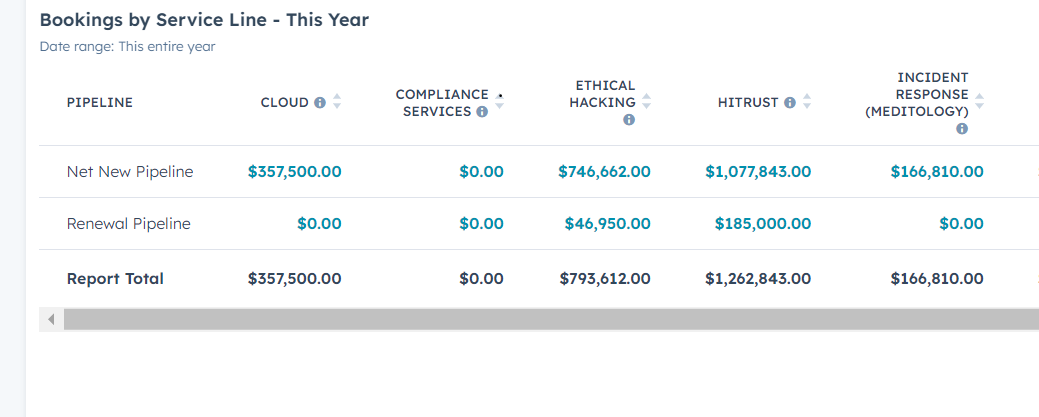
Note: This report contains the service line amounts for both Meditology and CORL for the current year. To filter for a specific business unit or date see the section titled "Filter Service Lines by Business Unit," and/or "Filter Service Lines by Date" below.
Filtering Service Lines by Business Unit:
Click into the "Booking by Service Line - This Year" report by selecting the 3 lines in the top right.
On the right side it will say filters. Click "And" at the bottom and add a filter for "Business Unit".
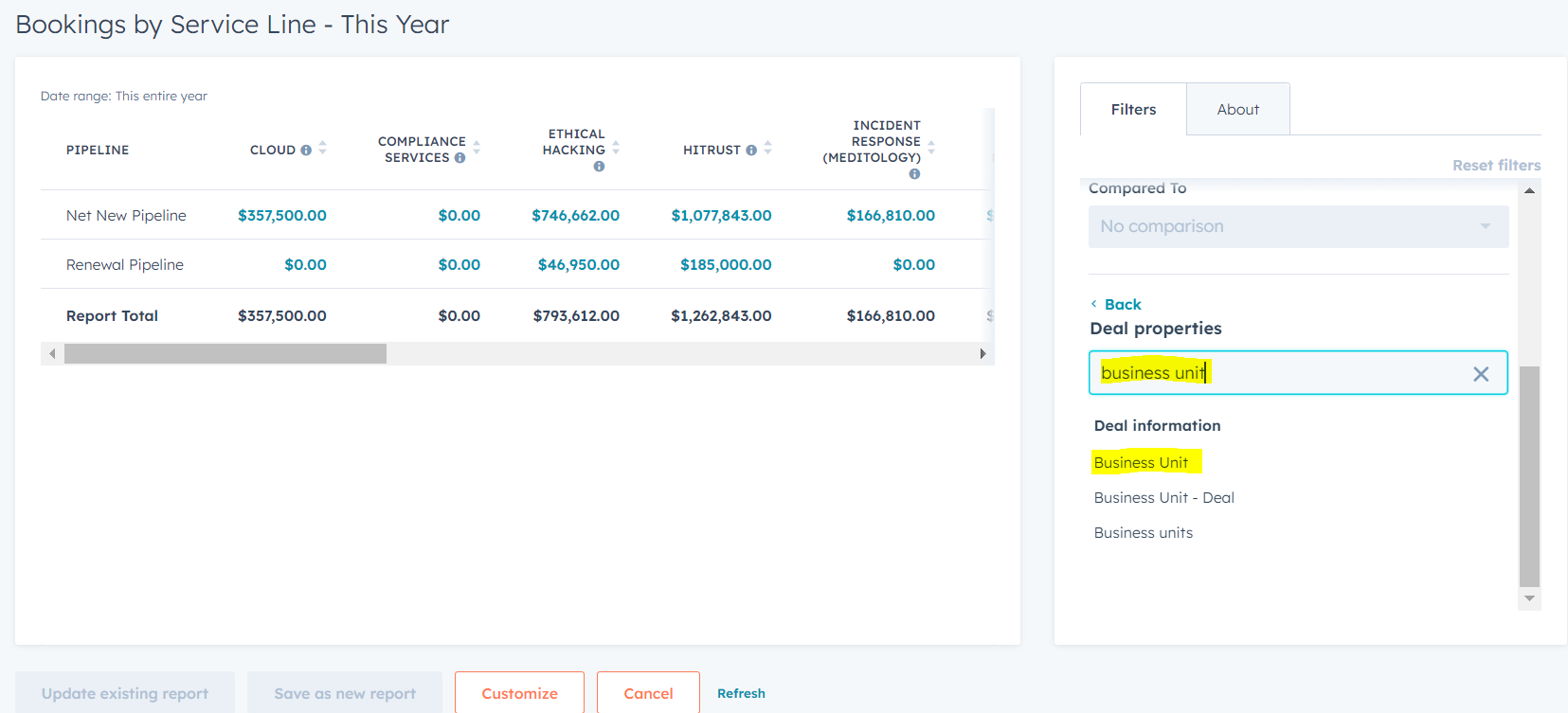
Select "Business Unit" and click "is any of" and select the value needed. Hit apply. The results will provide a dollar value for each service line that has projected revenue associated to that specific business unit.
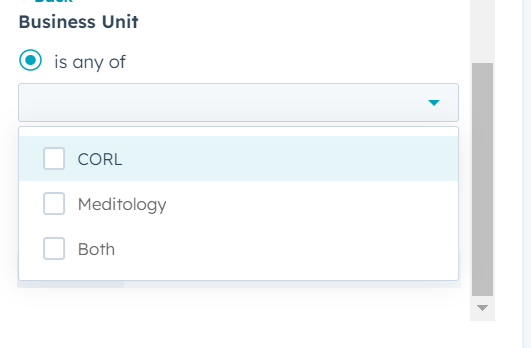
Note: To view active pipeline by each service line, navigate to the "Active Pipeline by Service Line (Net)" also located in the Dashboard and follow the same process.
Filtering by a specific date:
Find the section in filters for close date inside the "Booking by Service Line - This Year" report. Filter for the quarter, month, or custom date range needed. Hit Apply.
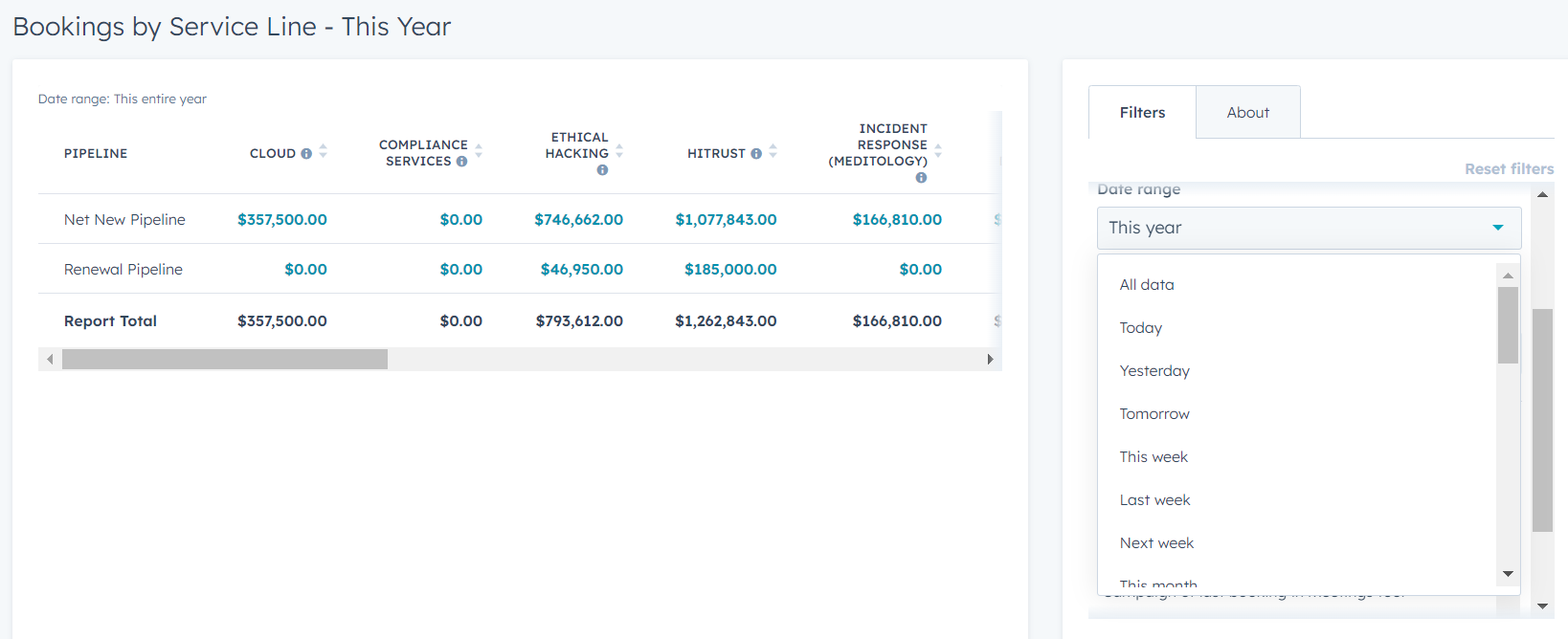
Note: The same process can be applied t0 the "Active Pipeline by Service Line (Net)" report to show active pipeline projected for each service line for a specific time frame.