![corl-logo-color ICON-1.png]](https://knowledgebase.corltech.com/hs-fs/hubfs/corl-logo-color%20ICON-1.png?height=40&name=corl-logo-color%20ICON-1.png)
Closed Won deals by Quarter:
Navigate to the 2023 Company Dashboard here, or by going to Reports -> Dashboards -> 2023 Company Dashboard. Find the report named "Closed Won this year (Net)."
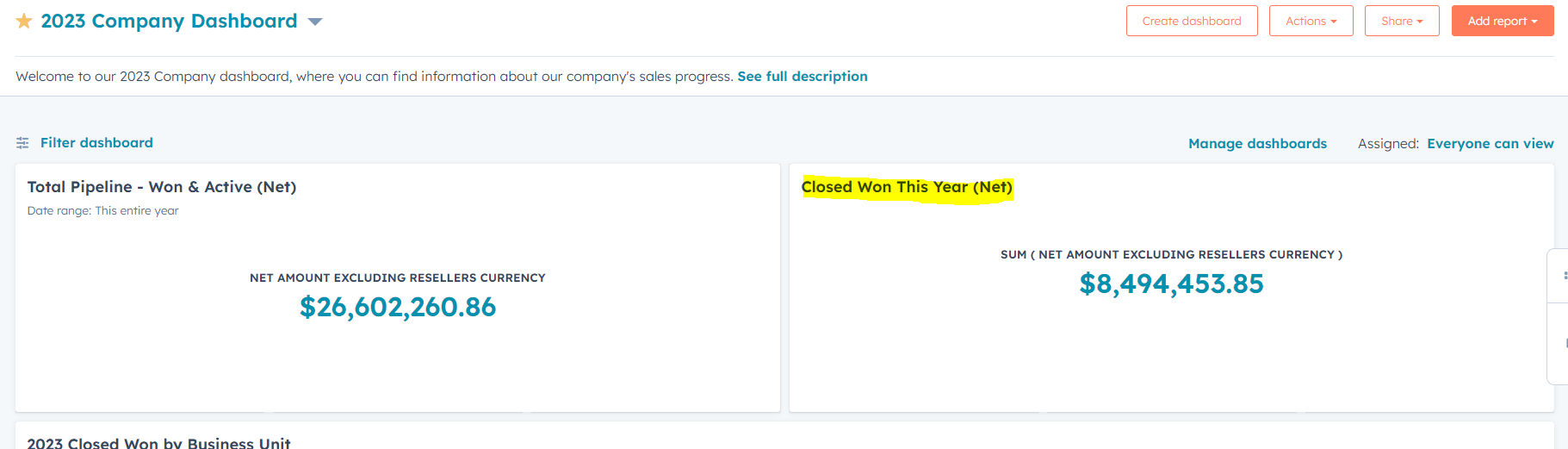
Hover over the report and click the 3 lines in the top right. Inside the report will be a filter that says close date. Filter the date for the needed quarter, select it, and hit apply.
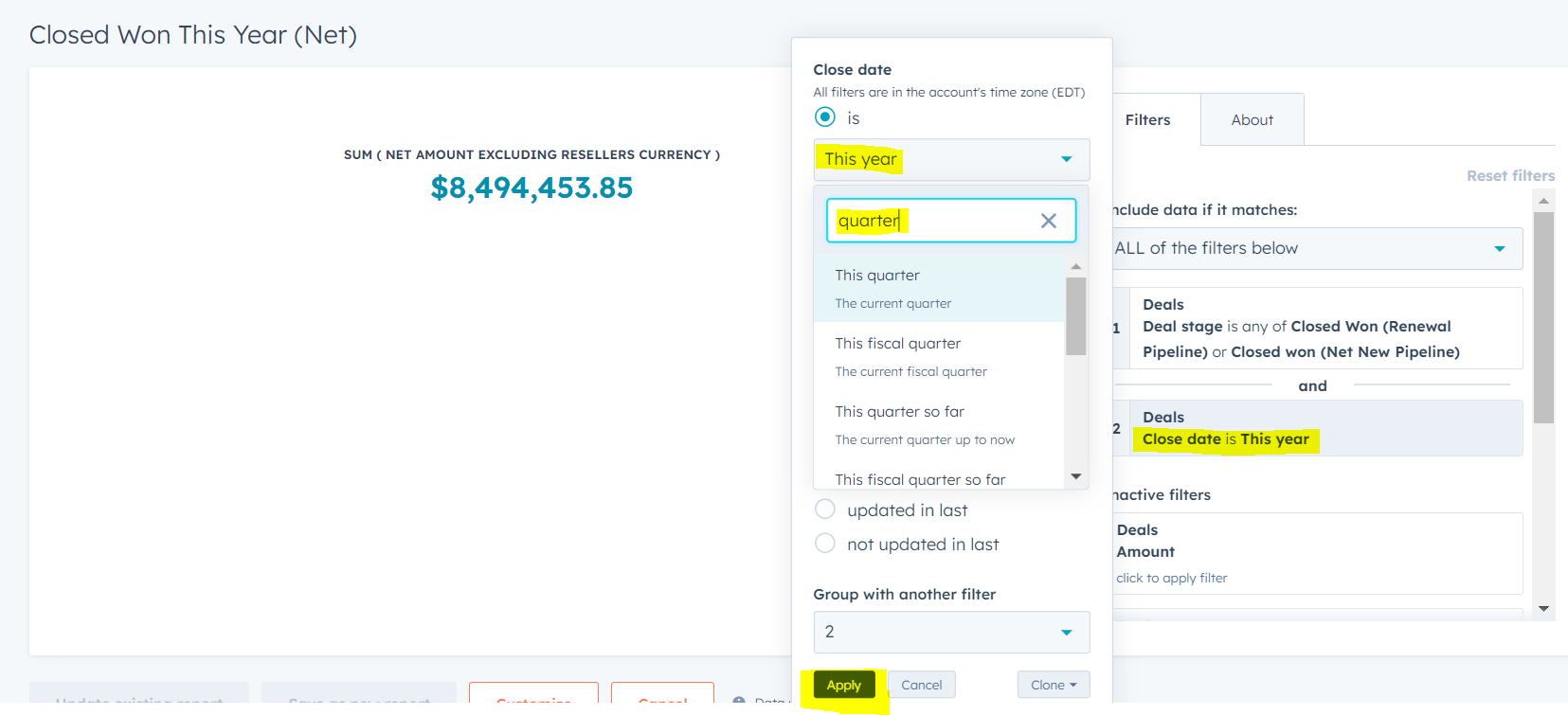
Once you hit apply, this will update the number to reflect the new parameters.
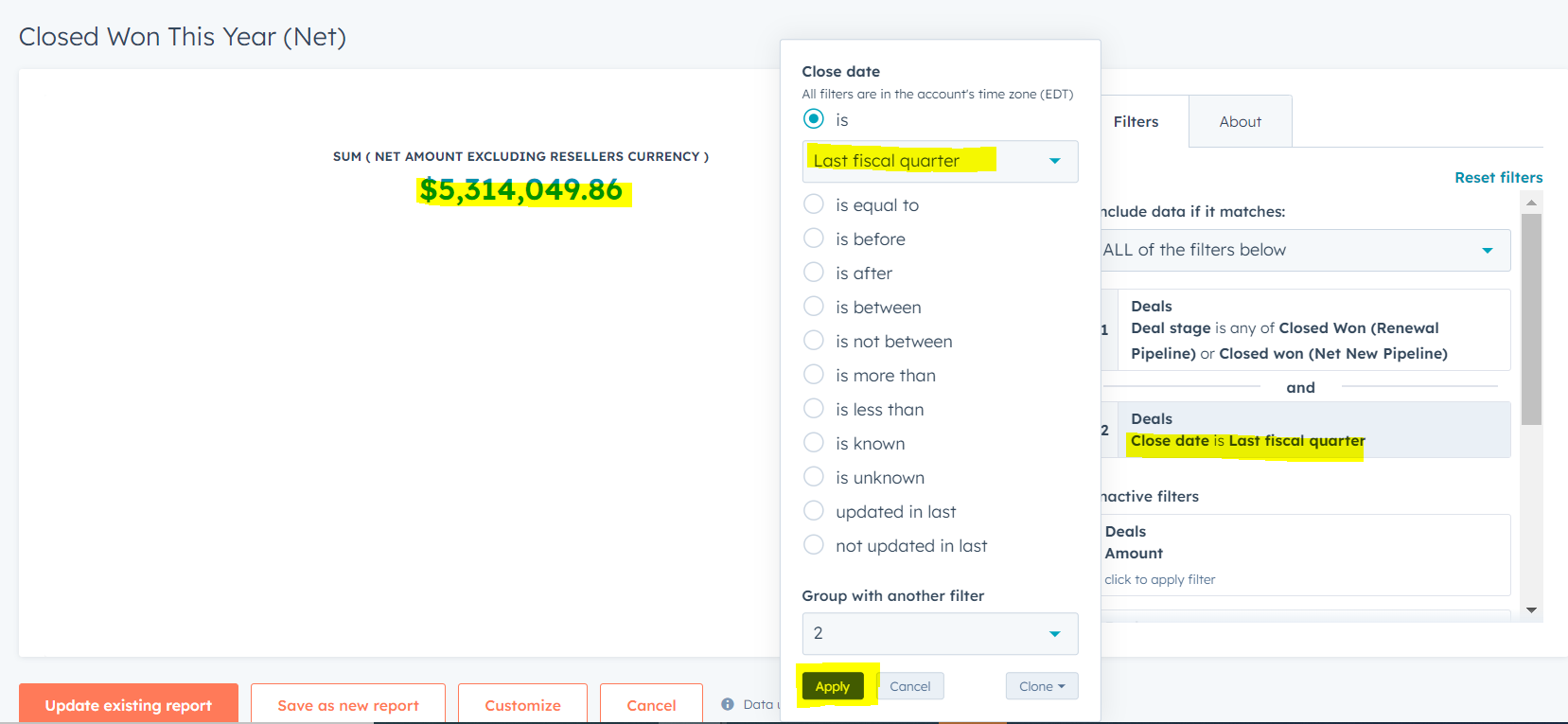
To export the information, click the new number and find export in the top right corner.
Closed won deals by month and specific date:
Navigate to the 2023 Company Dashboard here, or by going to Reports -> Dashboards -> 2023 Company Dashboard. Find the report named "Closed Won this year (Net)."
Hover over the report and click the 3 lines. Located the filter "Close Date" on the right hand side of the report and click it. Select the "in between" filtering option and set the date parameters you need. Click Apply.
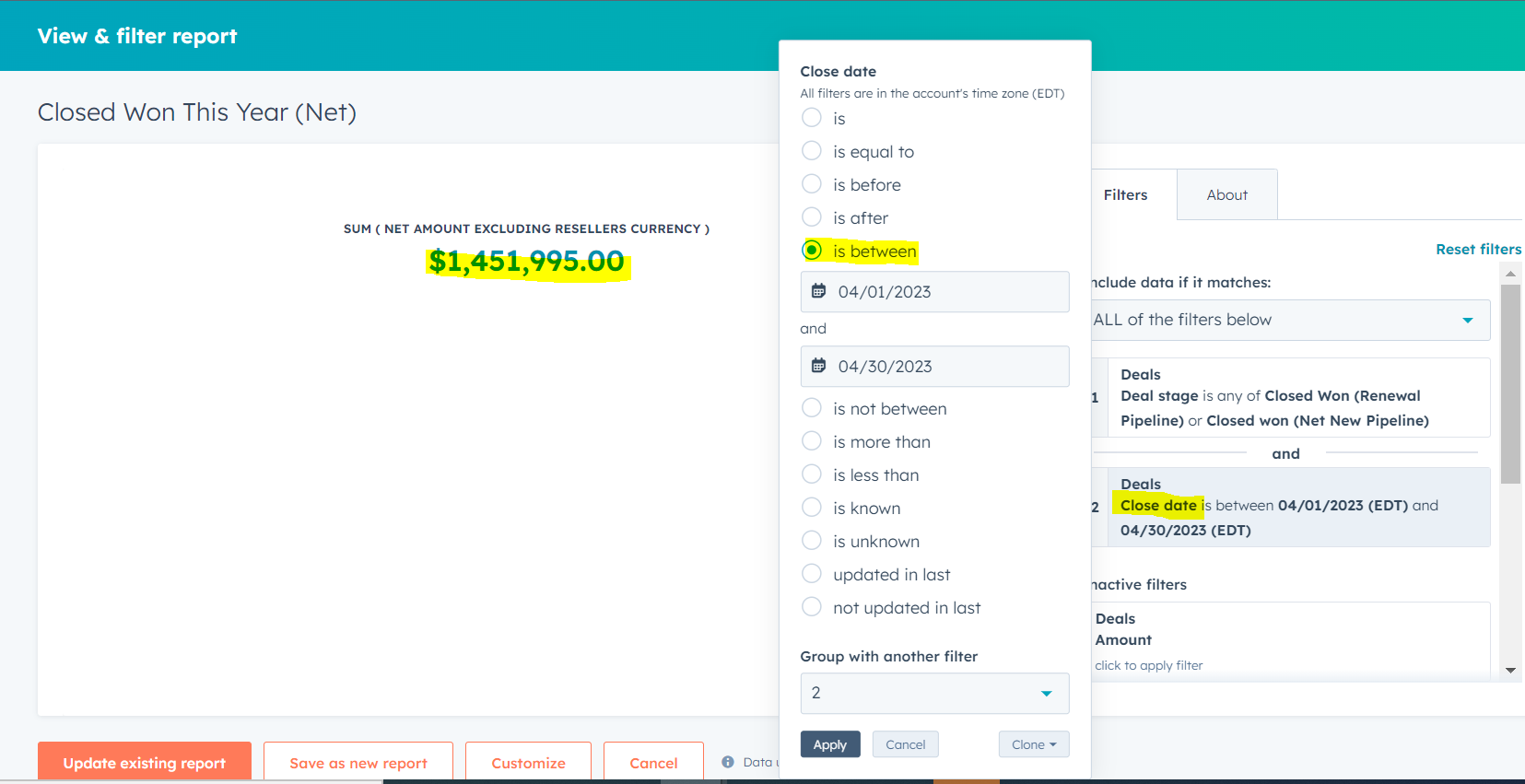
To export the information click the newly updated number and find the export button in the top right side of the screen.