![corl-logo-color ICON-1.png]](https://knowledgebase.corltech.com/hs-fs/hubfs/corl-logo-color%20ICON-1.png?height=40&name=corl-logo-color%20ICON-1.png)
Navigate to the 2023 Company Dashboard. If you are unsure how to do this visit the article "How do I view specific dashboards?", in the FAQ's section of this knowledge base.
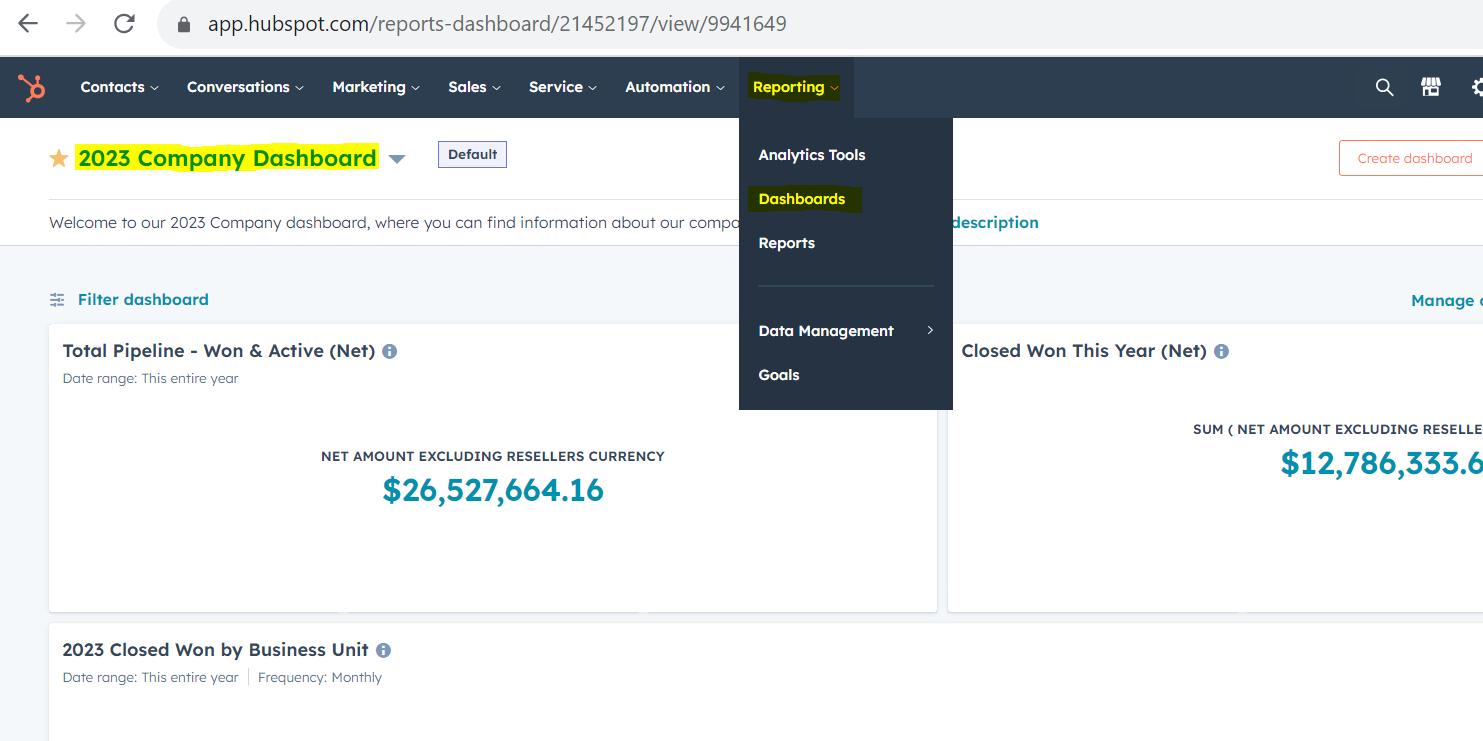
Scroll down until you see the reports titled "2023 Upsell Types (Net)".

Click the 3 lines in the top right corner, . Once you do this, locate the filters on the right hand side.
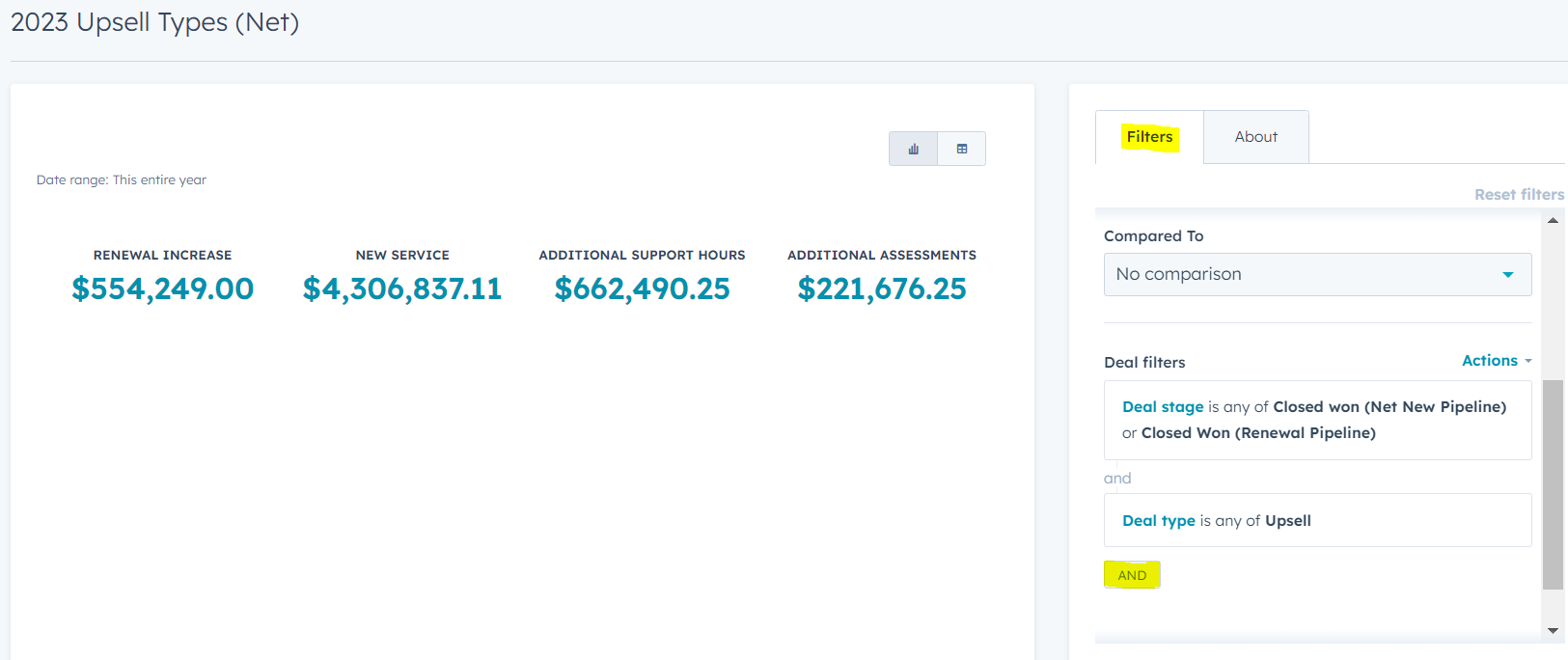
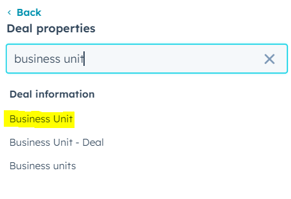
Hit "And", then type into the search bar "Business Unit". Select the one highlighted below, and then in the dropdown, select CORL and hit apply.
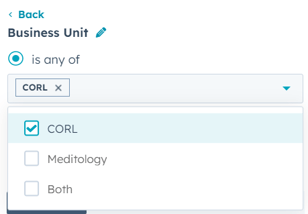
On the left-hand side the numbers will update to reflect only those belonging to CORL. Please note: This does not include RITHM deals that have both CORL and MT, those are included in a different report.