![corl-logo-color ICON-1.png]](https://knowledgebase.corltech.com/hs-fs/hubfs/corl-logo-color%20ICON-1.png?height=40&name=corl-logo-color%20ICON-1.png)
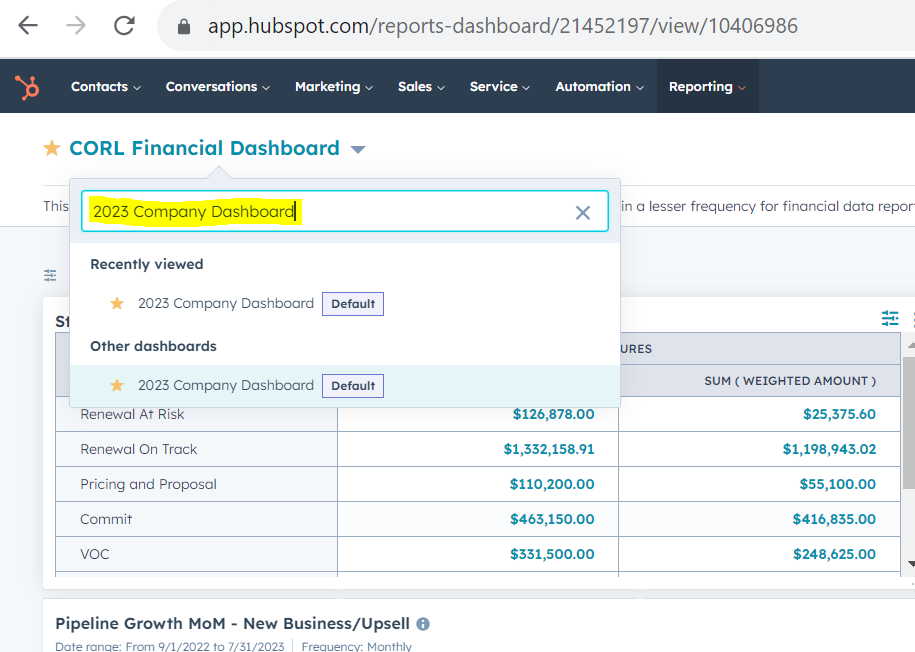
Navigate to the 2023 Company Dashboard by clicking the "Reporting" tab at the top of your HubSpot screen and selecting "Dashboards". Search for the "2023 Company Dashboard", by clicking on the name of the dashboard currently showing (in the example below this is the CORL Financial Dashboard).
Once inside the dashboard, scroll down until you see the report titled "Deals Expected to Close This Month (Net)".
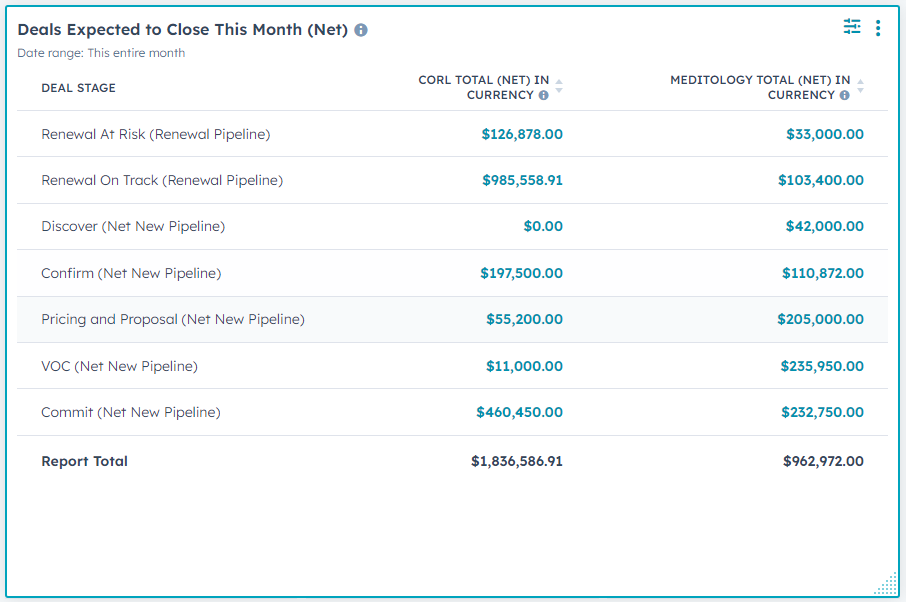
Important note: these are deals expected to closed for both Meditology and CORL. For information on how to filter on by business unit visit the article "How can I filter by business unit in HubSpot?" in this Knowledge Base.