![corl-logo-color ICON-1.png]](https://knowledgebase.corltech.com/hs-fs/hubfs/corl-logo-color%20ICON-1.png?height=40&name=corl-logo-color%20ICON-1.png)
CORL Won Net New:
Overview: The reports included in this article are: 2023 New Business Closed Won by Business Unit, 2023 Closed Won - By Quarter (New Business), and New Business Closed Won 2023 Detailed View.
1. Viewing CORL Net New through the Company Dashboard:
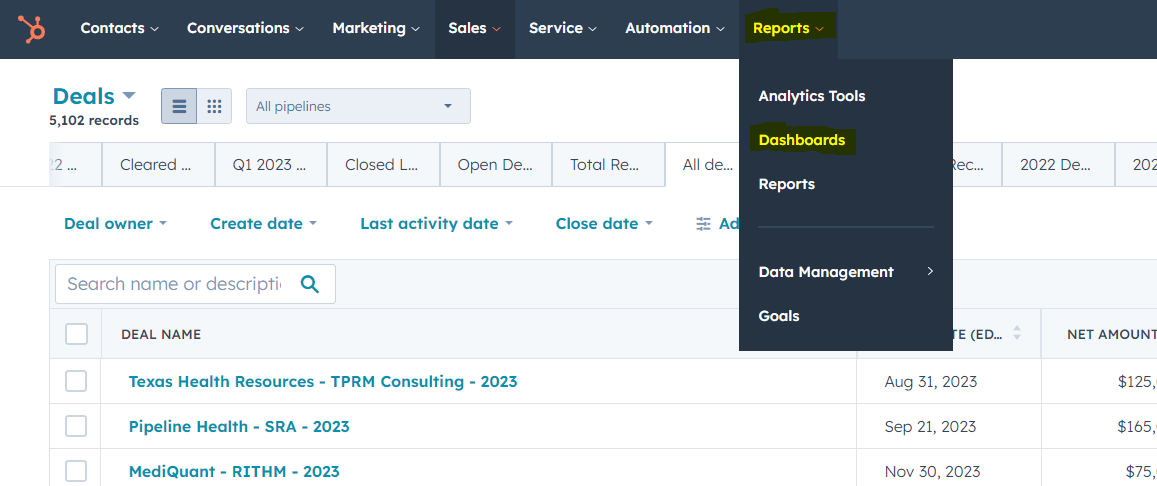
To view all closed won navigate to the dashboard view in HubSpot. This can be done by selecting the Reports tab at the top of the HubSpot page and selecting dashboards. If this option is not available to you, reach out to your HubSpot Administrator for access.
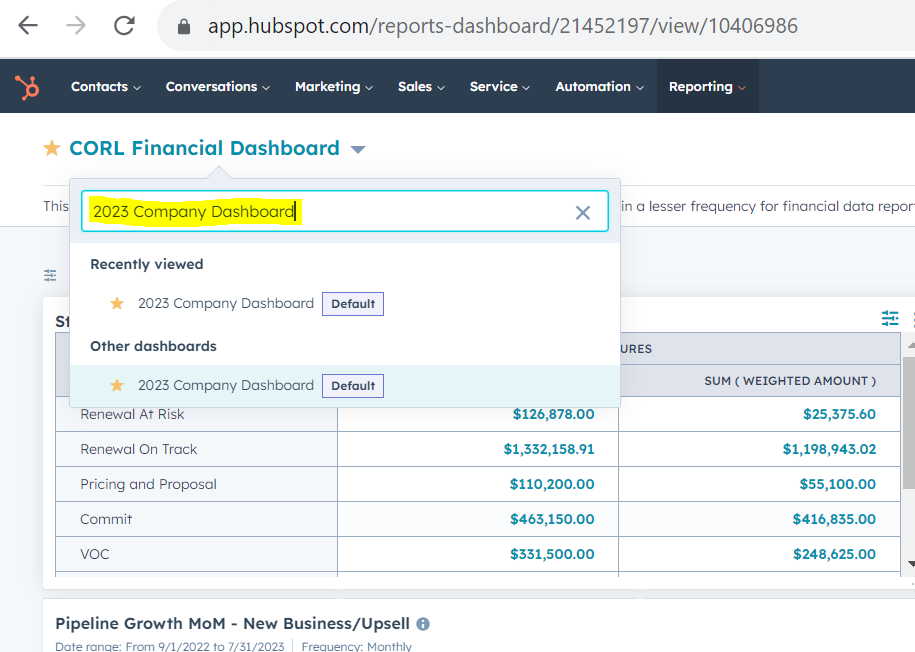
Once inside the dashboard view, search for the "2023 Company Dashboard" by clicking the current dashboard name in blue (in the screenshot below, this is "CORL Financial Dashboard").
In this dashboard, you can view closed won renewals by business unit by navigating to the report "2023 New Business by Business Unit". Click on the number, $1,725,522 CORL Total (Net) In Currency, and a detailed list of closed won bookings for CORL will appear.

You can export these deals by selecting export in the top right corner.
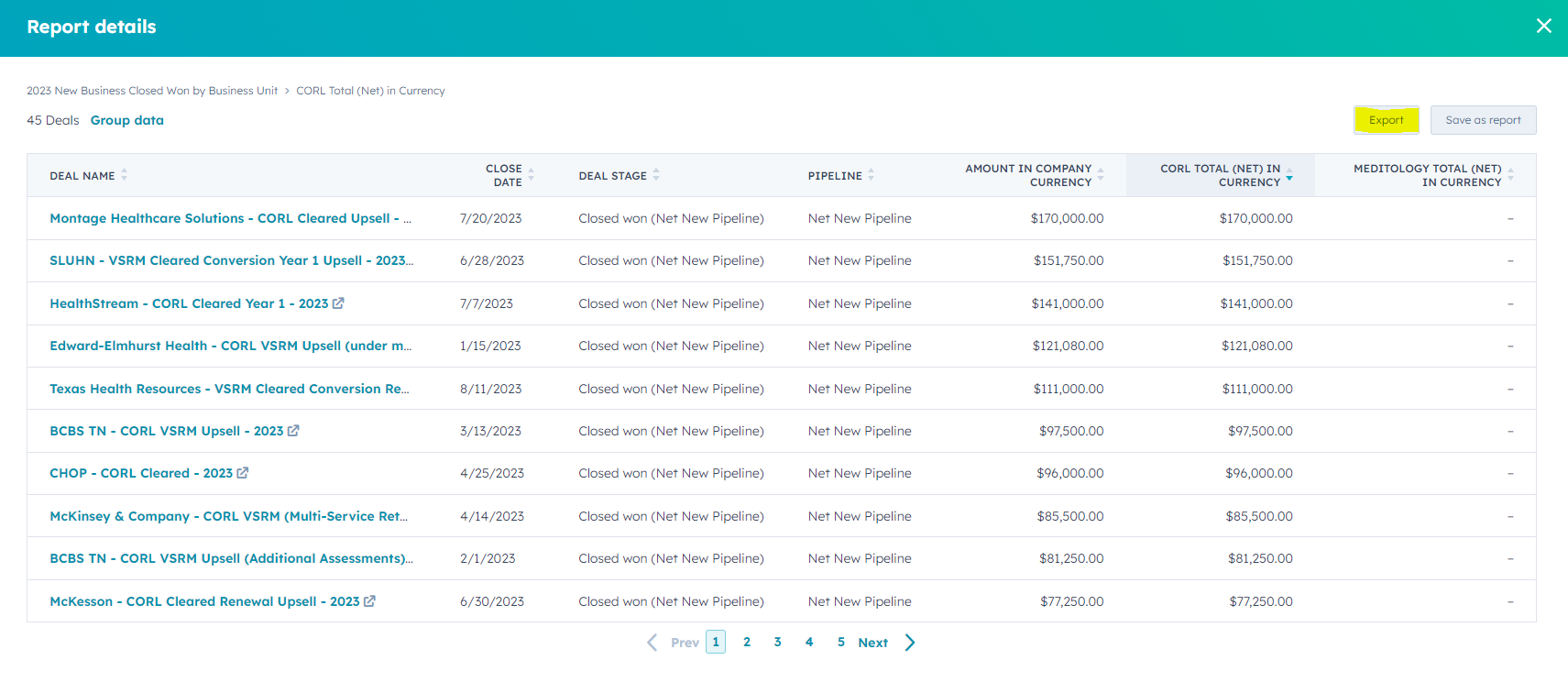
You can also clone this report and add it to a personal dashboard for future use. For a detailed explanation on cloning reports, visit the article "How can I clone an existing report?" in the FAQ's section.
2. Viewing CORL New Business through the CORL Financial Dashboard:
The CORL Financial Dashboard contains several reports detailing CORL renewals, active pipeline and other important metrics. For the purpose of this article we will focus on the net new reports. Navigate to the CORL Financial Dashboard using the same process as above. If you are still having difficulty finding the dashboard visit the article "How do I find specific dashboards?" in the FAQ's section of this knowledge base.
Once inside the CORL Financial Dashboard there are several reports detailing CORL net new business. Two helpful reports will be "2023 Closed Won - By Quarter (New Business)" and "New Business Closed Won 2023 Detailed View". The "2023 Closed Won - By Quarter (Net New)" reports displays all closed won renewals broken into Q1-Q4. The "New Business Closed Won 2023 Detailed View" shows the information for each specific renewal deal won including the deal name, service line, deal owner, close date and several others.
2023 Closed Won (by Quarter) - New Business
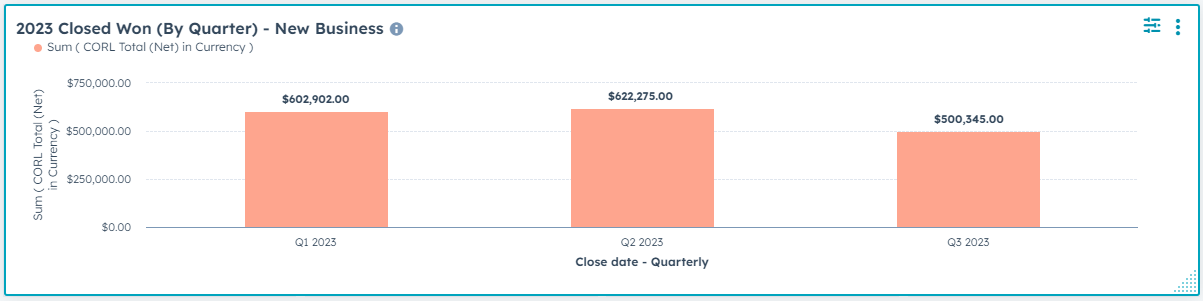
Click onto the respective Q1-Q4 bars if you would like a detailed view of the deals in Q1, Q2, Q3, or Q4. You can export this information by clicking the bar and finding "Export" in the top right corner.
New Business Closed Won 2023 Detailed View:
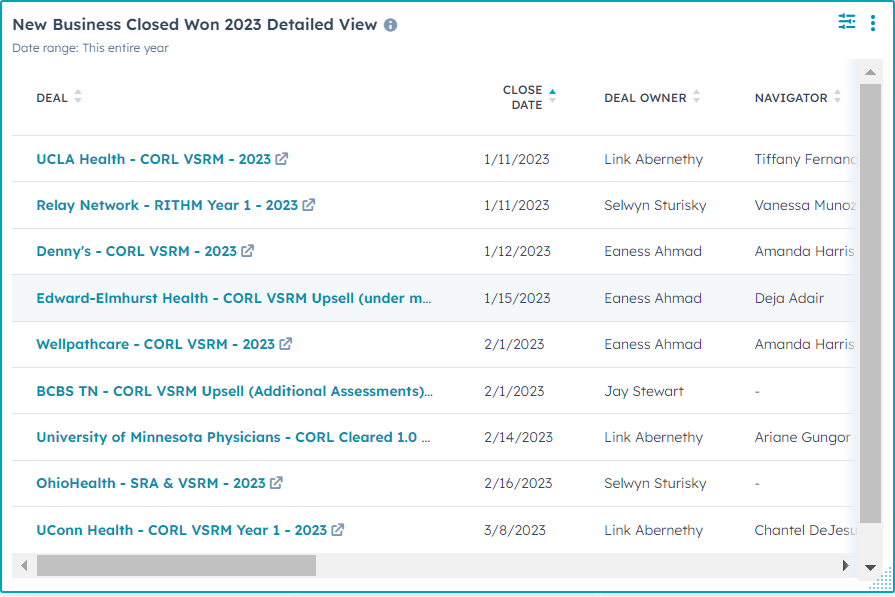
Note: You can scroll from side to side in this deal to view information. To click into the report and export the information, select the ellipses and hit "Export". If this feature is not available to you contact your HubSpot Administrator for updated permissions.
These are only a few examples of the reports offered in the CORL Financial Dashboard for more information visit the dashboards section of this knowledge base and select "CORL Financial Dashboard breakdown", or watch the video.
Need to know all this information for closed won renewals as well? See "How can I view closed won renewals for CORL?" here.