![corl-logo-color ICON-1.png]](https://knowledgebase.corltech.com/hs-fs/hubfs/corl-logo-color%20ICON-1.png?height=40&name=corl-logo-color%20ICON-1.png)
Viewing deals in red in HubSpot:
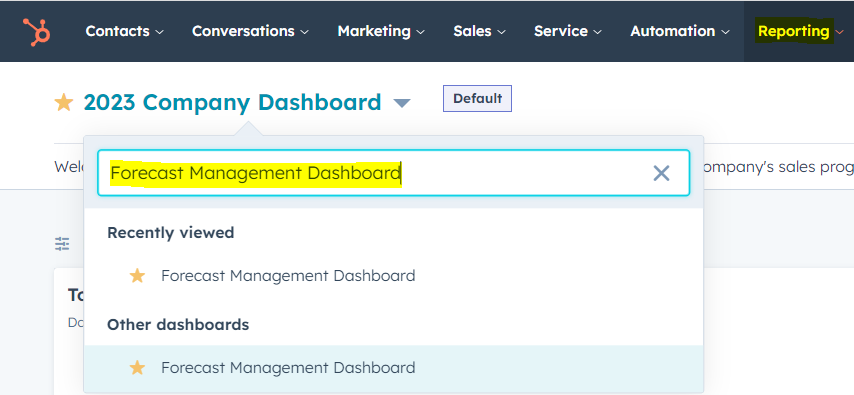
Navigate to the "Forecast Management Dashboard" in HubSpot.
Scroll down until you see the report "Activity - Deals in Red".
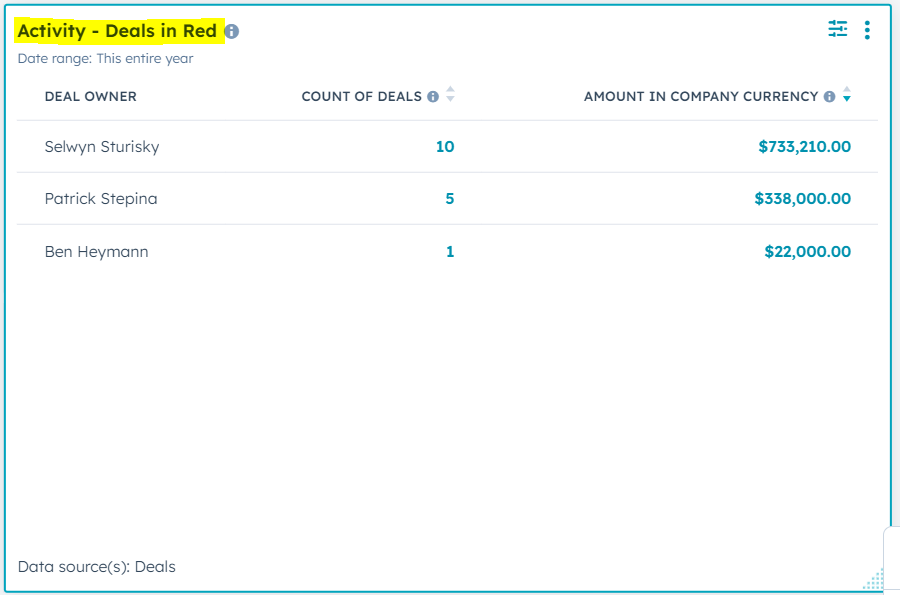
Locate your name and select the number under the "Count Of Deals" column. This will give you a list of deals with activity in red.