![corl-logo-color ICON-1.png]](https://knowledgebase.corltech.com/hs-fs/hubfs/corl-logo-color%20ICON-1.png?height=40&name=corl-logo-color%20ICON-1.png)
Viewing Dashboards inside of HubSpot:
Log in to HubSpot via Single Sign-On using your CORL or Meditology email address.
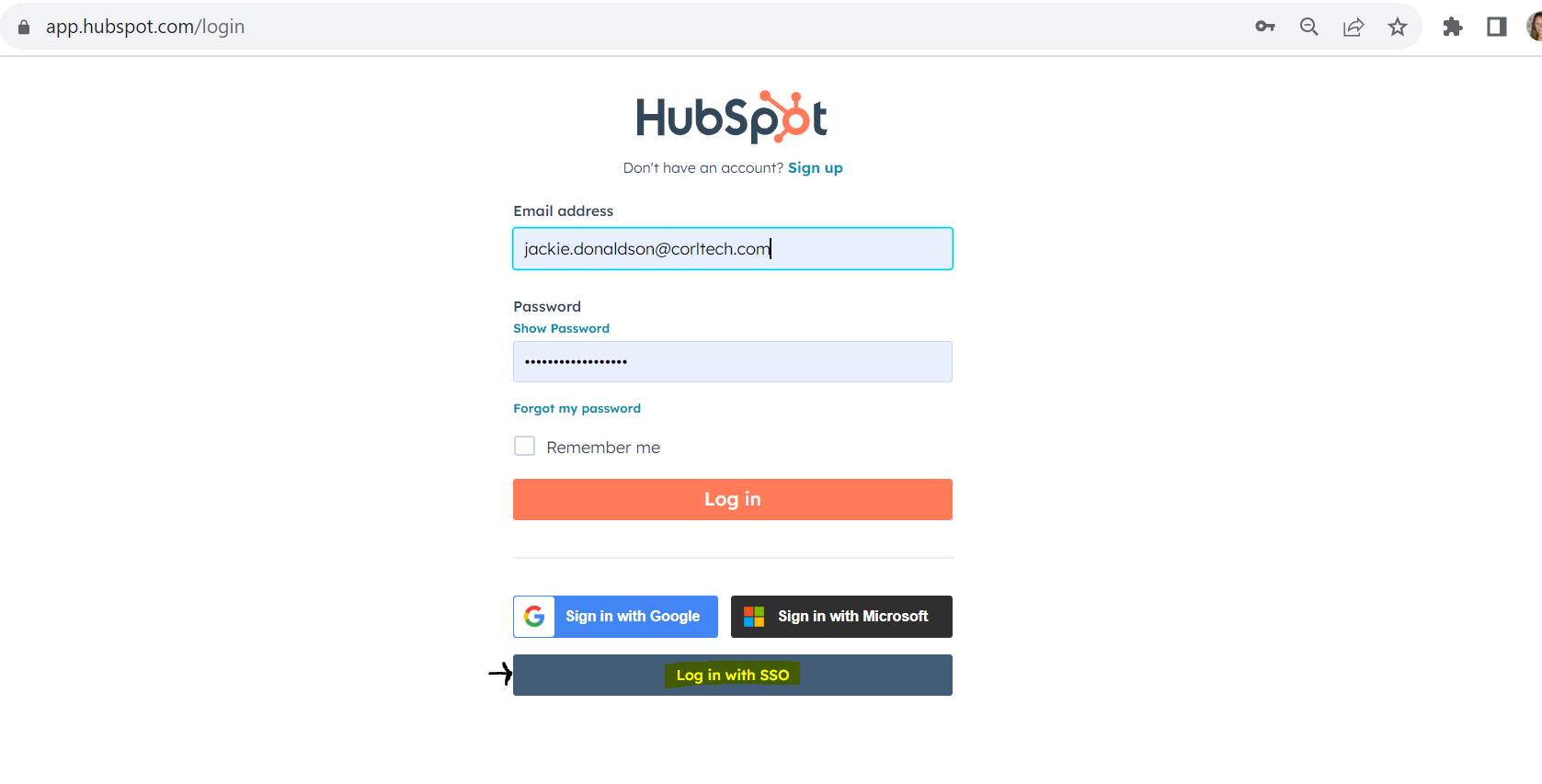
It should look something like this:
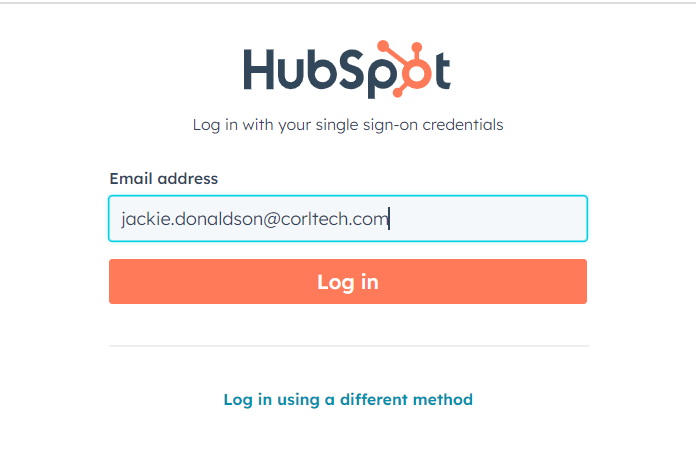
Viewing the Company Dashboard:
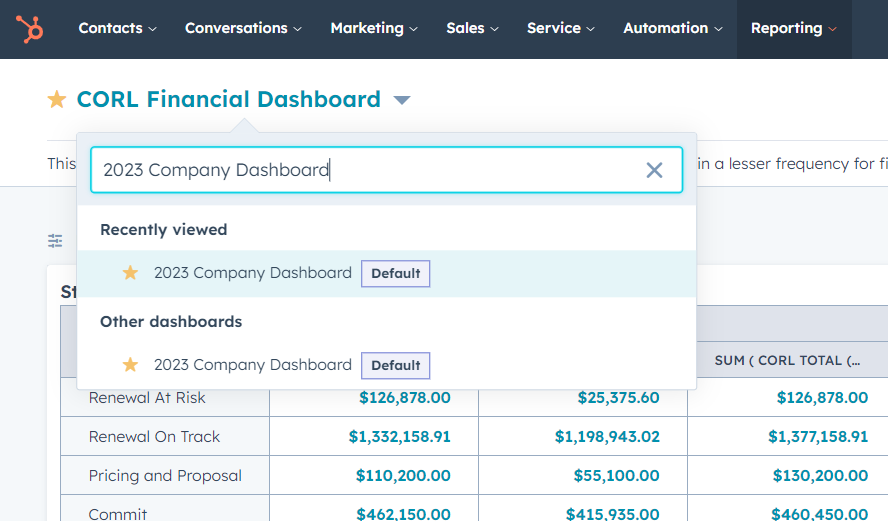
The Company dashboard provides a comprehensive breakdown of our sales progress for both the CORL and Meditology business units. To find it, locate the tab at the top of your HubSpot log-in screen that say "Reporting", and select "Dashboards".
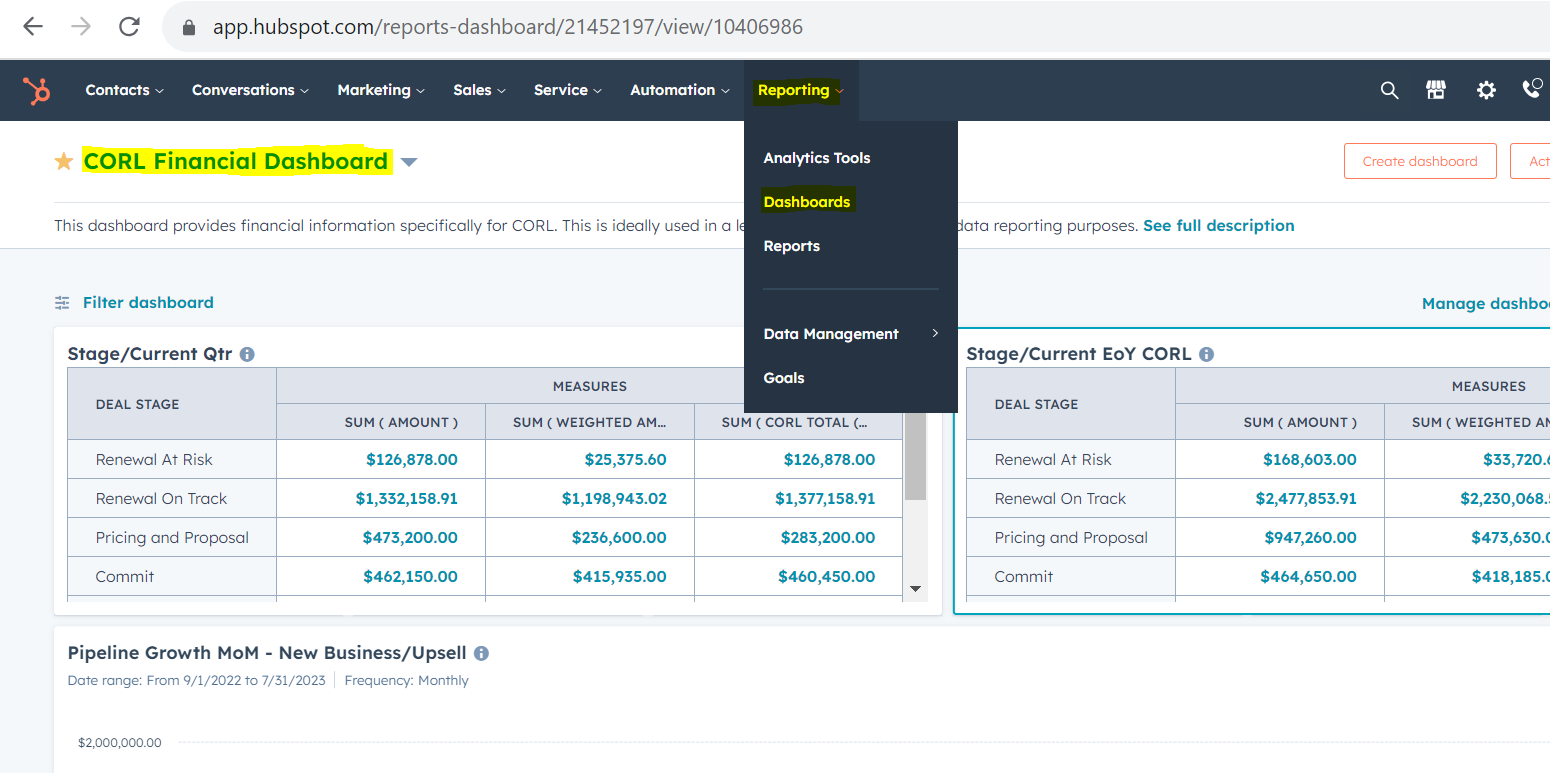
Next, click on dashboard name at the top (it is highlighted in the image above), and type in "[Current year] Company Dashboard". For this year, it is currently 2023, so we are looking at the 2023 Company Dashboard.
Viewing the CORL Financial Dashboard:
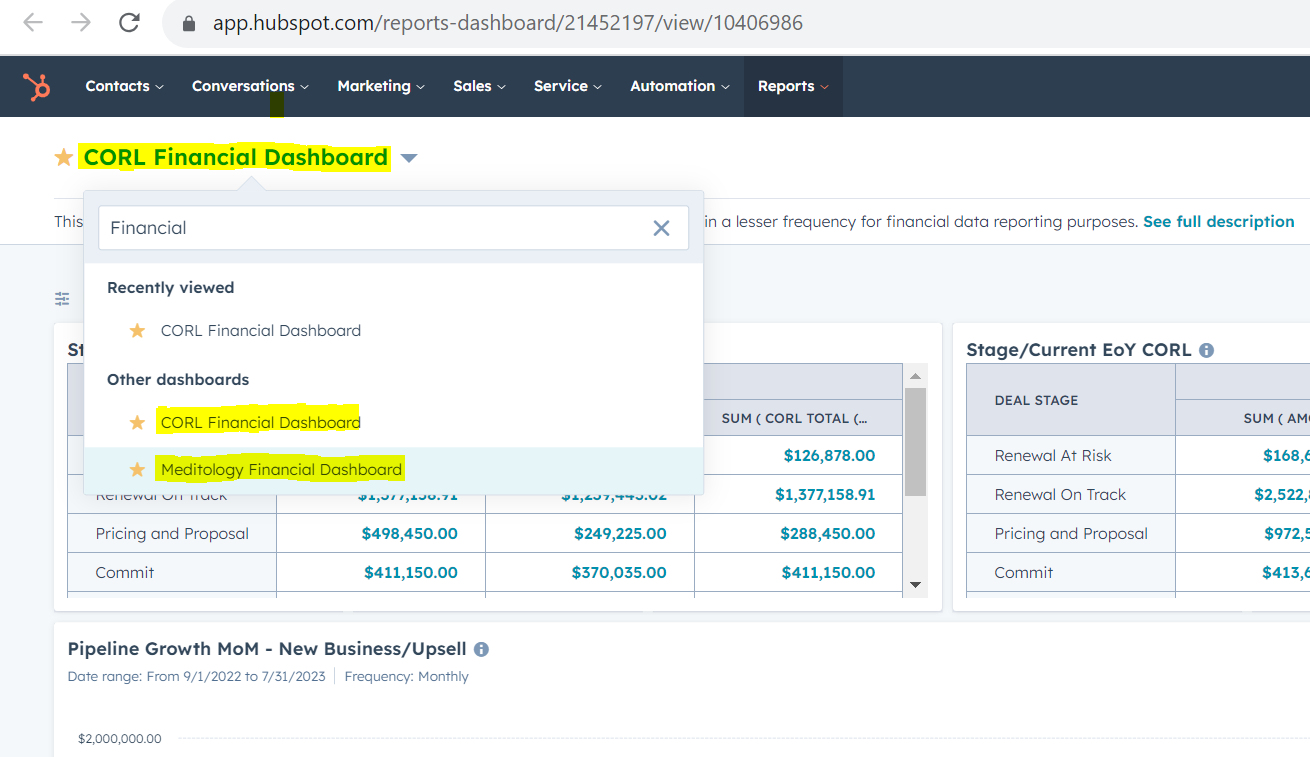
The "CORL Financial Dashboard" provides financial information specifically for the CORL business unit. To find it, locate the tab at the top of your HubSpot log-in screen that say "Reporting", and select "Dashboards".
Next, click on dashboard name at the top (it is highlighted in the image above), and type in "CORL Financial Dashboard".
Viewing the Meditology Financial Dashboard:
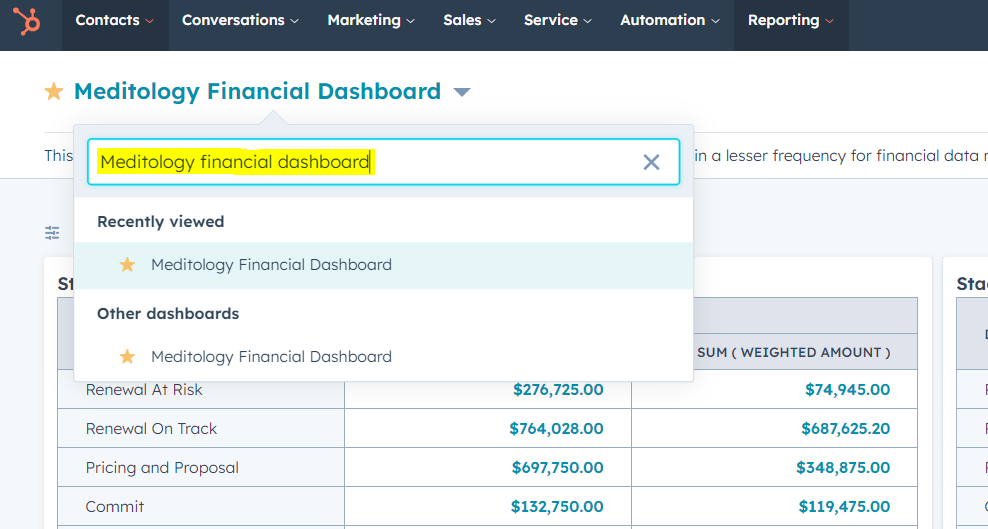
Follow the same proccess as the "CORL Financial Dashboard", but instead of searching for CORL, search for the "Meditology Financial Dashboard. See below.