![corl-logo-color ICON-1.png]](https://knowledgebase.corltech.com/hs-fs/hubfs/corl-logo-color%20ICON-1.png?height=40&name=corl-logo-color%20ICON-1.png)
1. Exporting reports in HubSpot:
Locate the report you want to export. For this example, we are exporting the information in the "Total Pipeline - Won & Active (Net)". Click the ellipses at the top right of the report. Select Export.
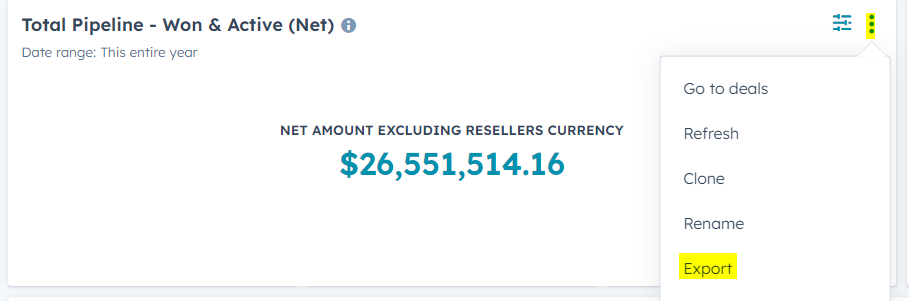
After you hit "Export", determine whether or not you want the file as a CSV, or excel file.
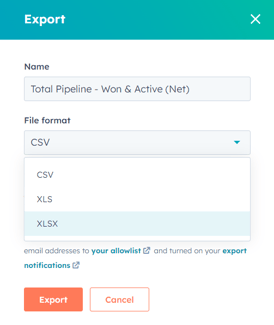
[insert picture of the download popup next to the export picture above].
When the file is ready, a box will show at the top of you screen saying "Export is ready for download". Click it and download the file. A copy will also be sent to your email inbox if it is connected to HubSpot.
2. Exporting reports in HubSpot:
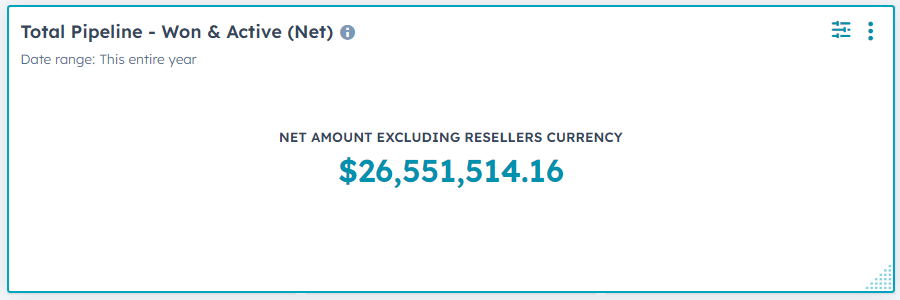
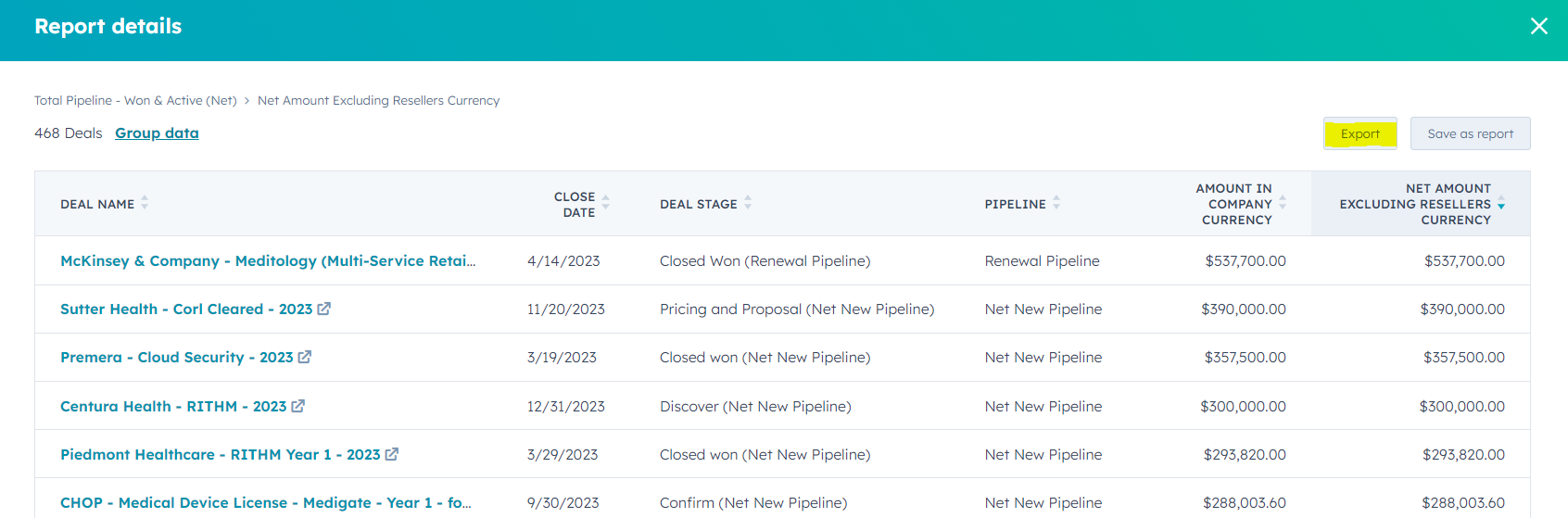
If the report you are looking to export has just the summarized number in blue, you can export the report by clicking the number and hitting the export button at the top right.
First click on the number in blue.
Then, select export in the top right corner.
Select whether you want it as an CSV or excel file and download the file. A pop up box will show up at the top of the screen when the file is ready.