![corl-logo-color ICON-1.png]](https://knowledgebase.corltech.com/hs-fs/hubfs/corl-logo-color%20ICON-1.png?height=40&name=corl-logo-color%20ICON-1.png)
In order to view active pipeline and booking for this quarter navigate to the 2023 Company Dashboard. You can click the link to the dashboard above or navigate to Reports -> Dashboards -> 2023 Company Dashboard.
Find the "Total Pipeline - Won & Active (Net)" report.
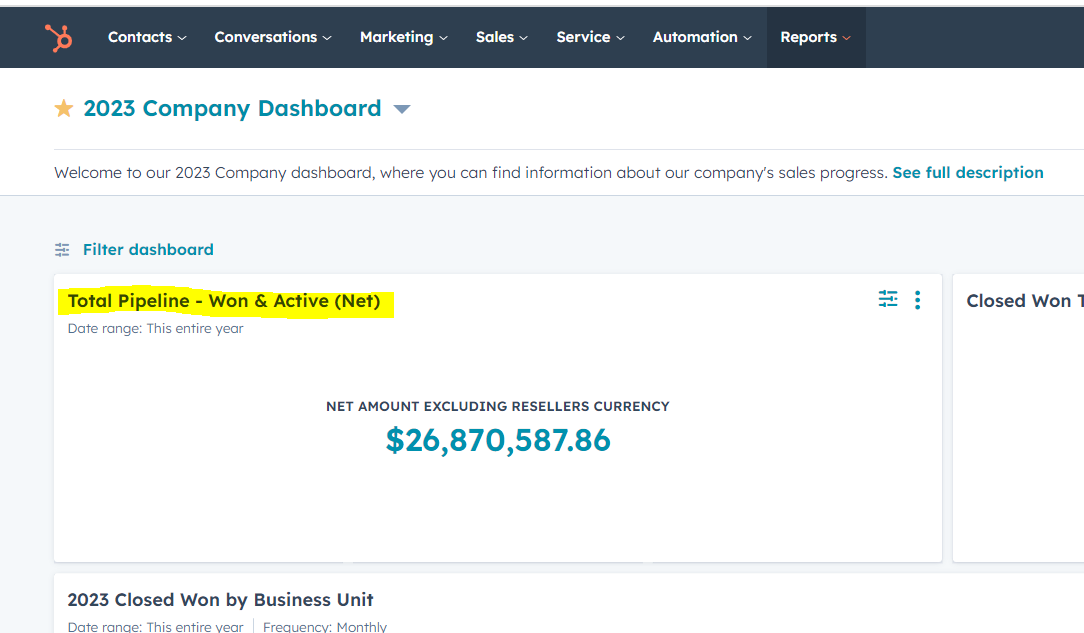
How to export the information in the report:
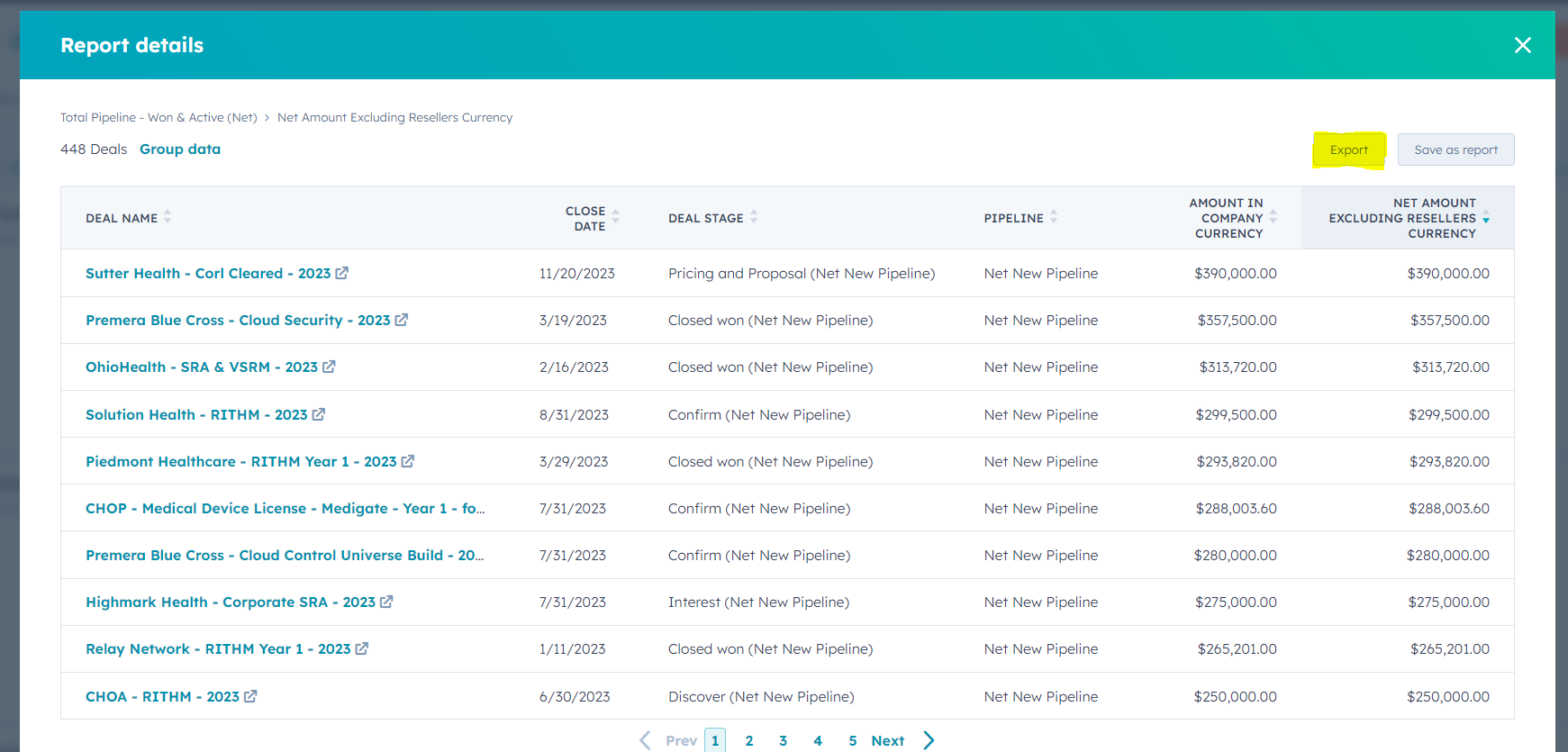
Click the number the report is showing. In the top right corner, hit "Export".
Wait a moment and a tab will pop up at the top of the screen that says "Click to download your export". Click it and the file will download to the computer.
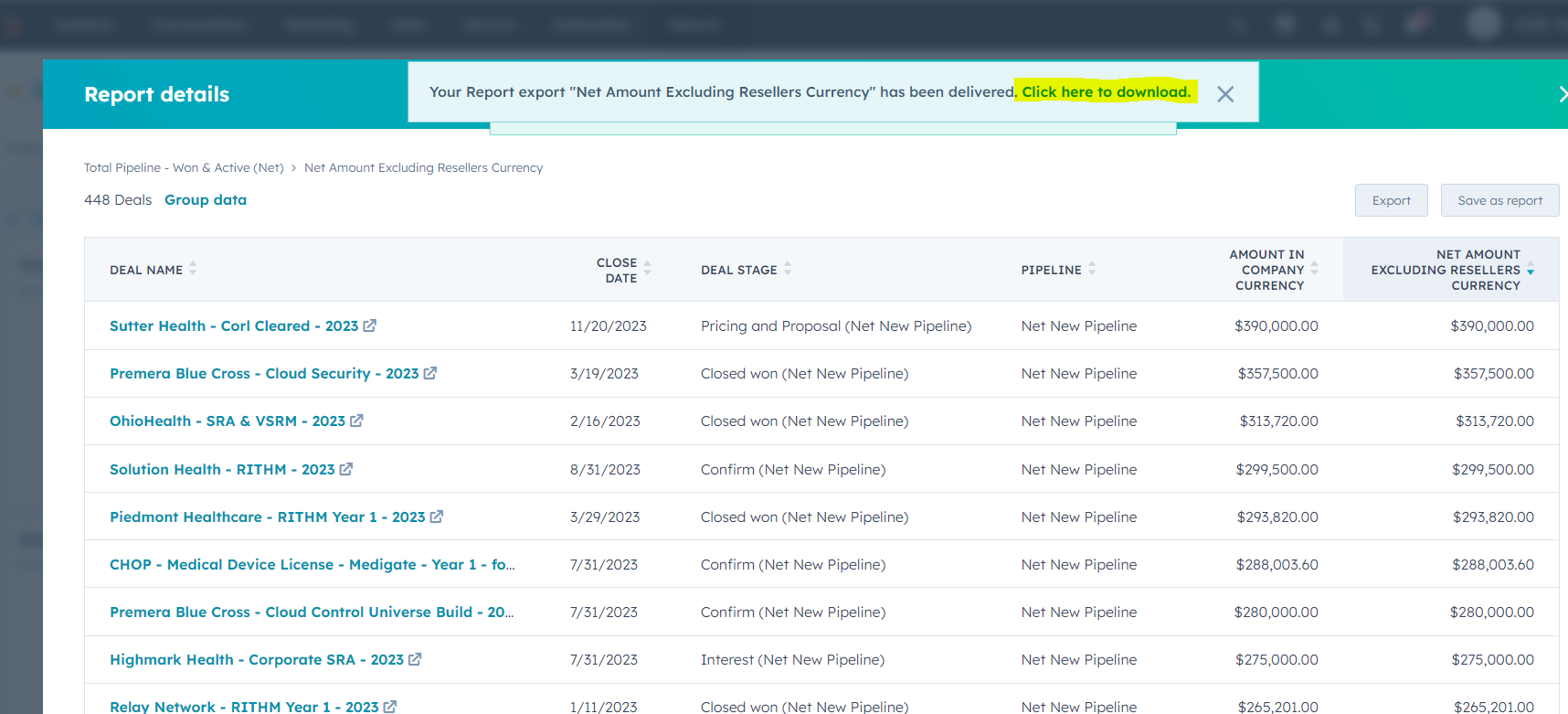
If you have your outlook inbox connected to HubSpot, a copy of the export will also be emailed to you.